Settings, FAQ & Contact
Here's how to adjust notification and language settings, find answers in the FAQ, and send feedback to the team.
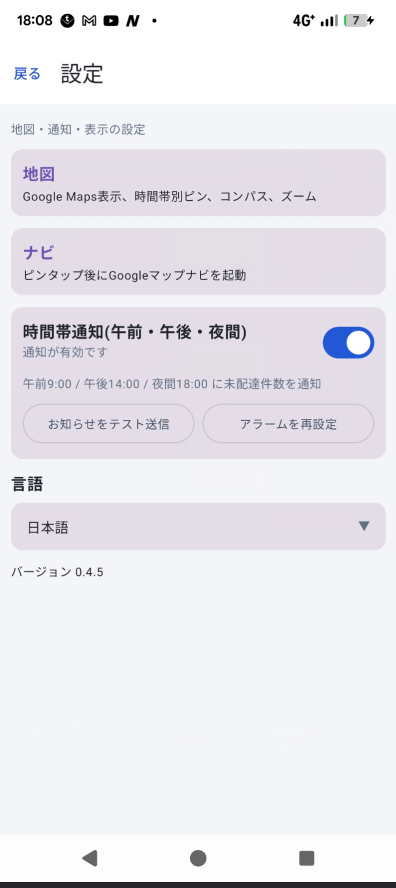
Settings screen
From "Settings" under "Announcements" in the side menu, you can change the following:
| Notifications | Toggle on/off. When on, you can also send a test notification or reset scheduled alarms. |
|---|---|
| Language | Choose from Japanese, English, Korean, Vietnamese, Portuguese (Brazil), or Simplified Chinese. The app must be restarted after changing the language. |
| Version info | Check the currently installed app version. |
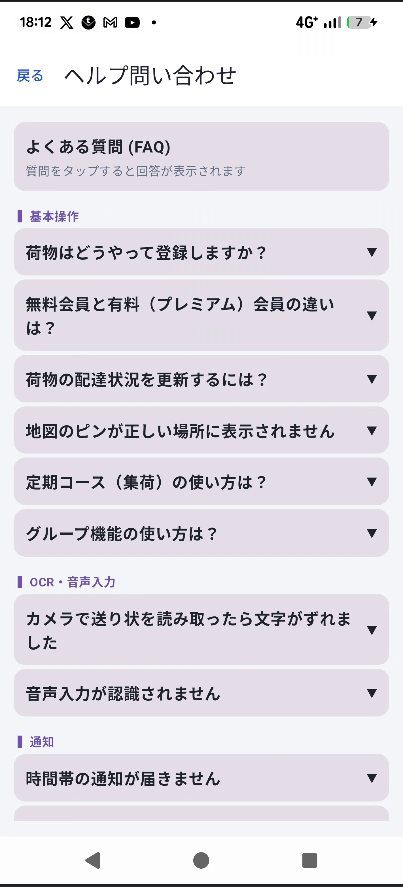
Frequently Asked Questions (FAQ)
Open "Help" under "Announcements" in the side menu to browse FAQs by category. Tap a question to expand its answer.
Send feedback
Comments and bug reports can be sent from the "Feedback" screen — enter your message and it opens your mail app to send it.
Terms of Service
The "Terms of Service" screen shows the full, current terms of service, along with a link to the web version of the page.