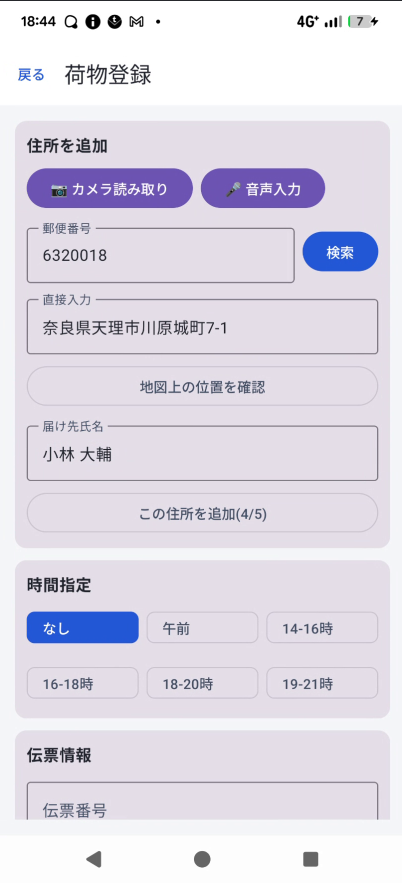
Registering a Package
You can enter an address by "manual entry," "voice input," or "photo (OCR)." You can register one package at a time, or several at once.
1Open the package registration screen
Open it from the "Register" button at the top of the Home screen, or from "Register" in the side menu.
2Enter the address
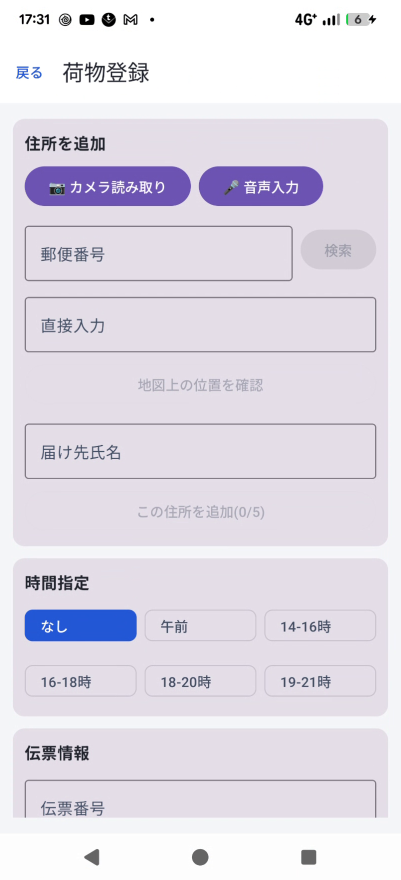
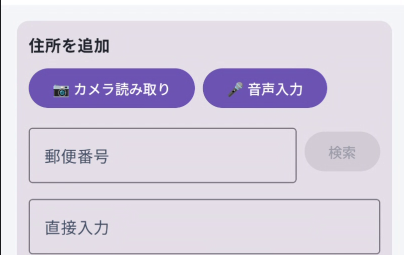
Choose whichever of the three input methods is most convenient:
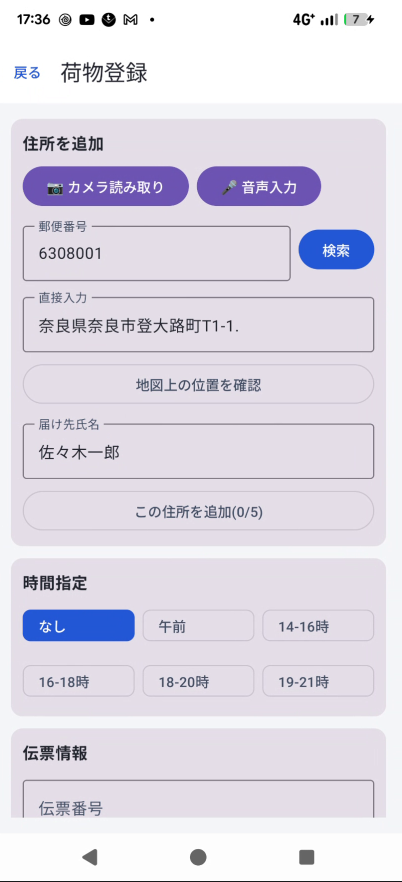
- Photo (camera) input: Tap the purple camera button and photograph a shipping label or nameplate — the postal code, recipient name, and address are automatically read and filled in.
- Voice input: Tap the purple microphone button and speak — what you say is entered directly into the address field.
- Manual entry: Type a 7-digit postal code and tap "Search" to auto-complete the address. The address field can also be edited directly.
3Confirm the location on the map
Tap "Confirm location on map" to see a list of location candidates based on the entered address. Selecting the correct one shows "Location confirmed," and the pin will be placed accurately on the map.
4Enter recipient, time window, package type, etc.
| Recipient name | Enter the name as shown on the nameplate. |
|---|---|
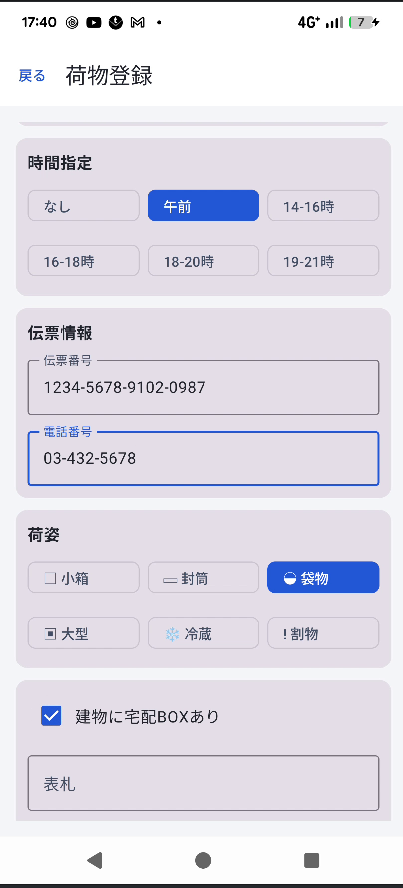
| Time window | Select the requested delivery time window from the chips. |
| Slip info | Enter the tracking number and phone number (optional). |
| Package type | Select the package's shape (e.g. cardboard box) from the chips. |
| Delivery box / nameplate / notes | Enter whether a delivery box is present, the nameplate name, delivery notes, and package notes. |
| Delivery status | Select the status at the time of registration (usually "Not delivered"). |
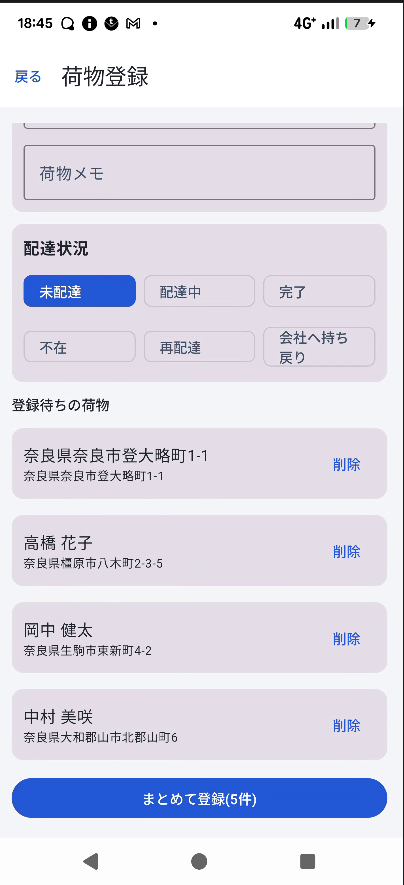
5Register several packages at once
Tapping "Add another" saves what you just entered to a pending list and clears the form so you can enter the next package (up to 20 at a time).
Once you're done, tap the "Register" button at the bottom of the screen (it shows the count when registering multiple packages) to submit.