Understanding the Home Screen
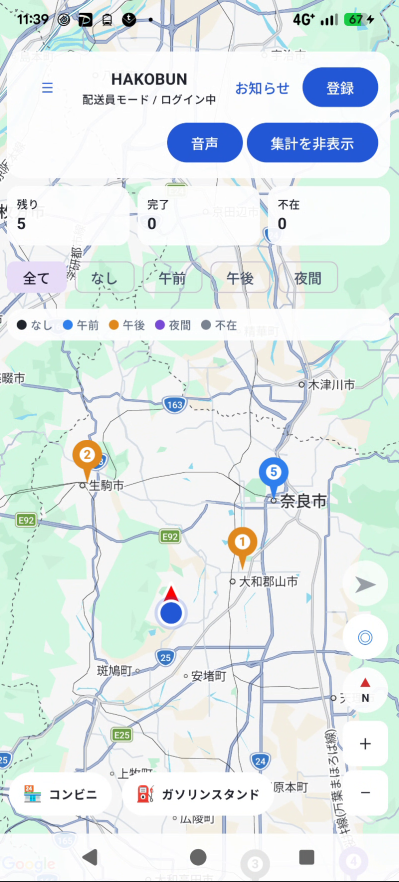
The Home screen is built around the map, with all the information and controls you need for delivery gathered around it.
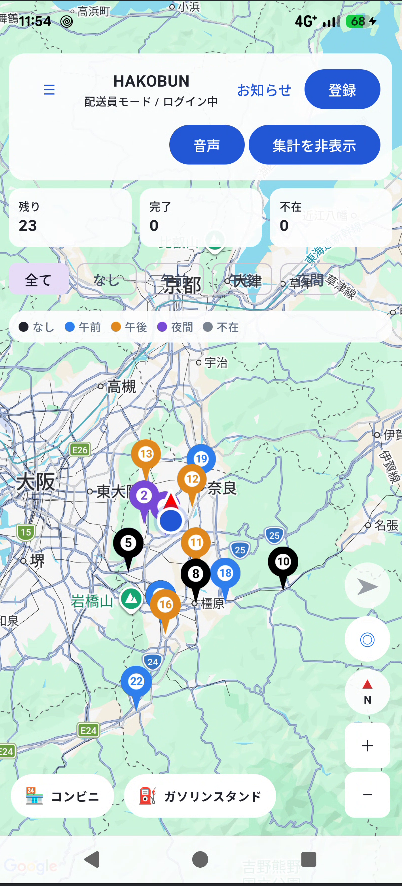
Top bar
- ☰ Menu: Opens the full feature list — Register, Regular Course, Package List, Backup/Restore, Account, Announcements, Group, and more.
- Announcements: View announcements from the operator.
- Register: Quickly opens the package registration screen.
- Voice: Reads aloud the recipient name of the currently selected (or, if none, nearest) delivery.
- Summary toggle: Shows or hides today's delivery count summary.
Summary view
Turning on the summary view shows:
- Remaining / Completed / Absent count cards: tap any of them to jump to a filtered package list.
- Time-window filter: chips such as morning, afternoon, and evening let you filter what's shown on the map.
- Legend: shows what each pin color on the map represents.
Pins on the map
Registered delivery addresses appear on the map as numbered pins, ordered from nearest to farthest from your current location.
- Pin colors vary by time window (see the legend).
- The currently selected pin is highlighted in red.
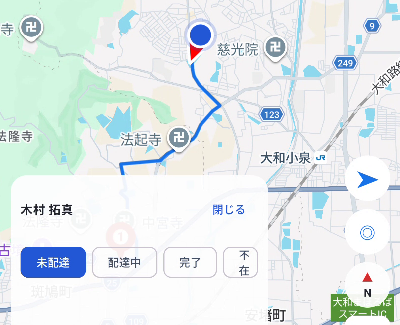
- Tapping a pin shows a card at the bottom with the recipient's name and status-change buttons.
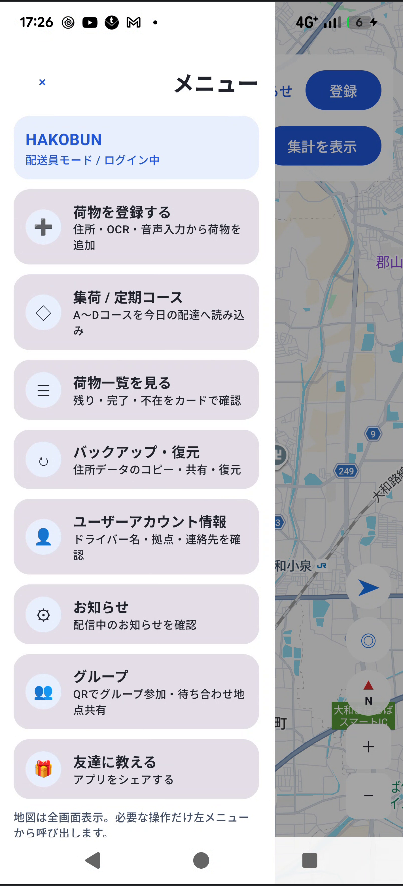
Side menu (☰)
The menu opened from the top-left ☰ button contains the following cards:
| Register | Opens the package registration screen. |
|---|---|
| Regular Course | Register and load your usual delivery route. |
| Package List | View all registered packages as a list. |
| Backup / Restore | Export or import your package data as CSV. |
| Account | Manage your profile, plan, and account cancellation. |
| Announcements | View announcements, feedback, settings, FAQ, terms of service, and end-of-day wrap-up in one place. |
| Group | Create or join a group via QR code, and share meeting points (see chapter 10). |
| Share the app | Share HAKOBUN with others. |