Getting Started
This section covers installing the app, registering an account, and starting your free trial.
1Install the app
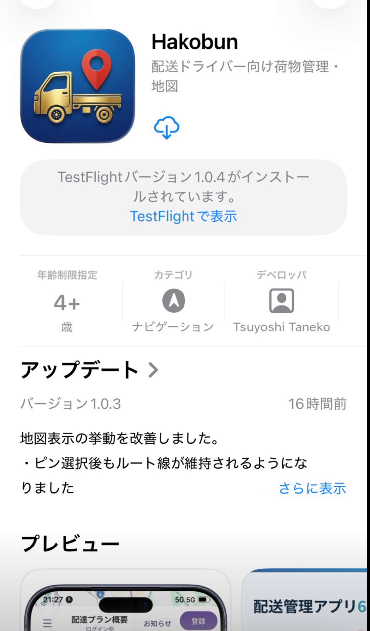
Search for "HAKOBUN" on the App Store and install it.
2Launch the app and check the Home screen
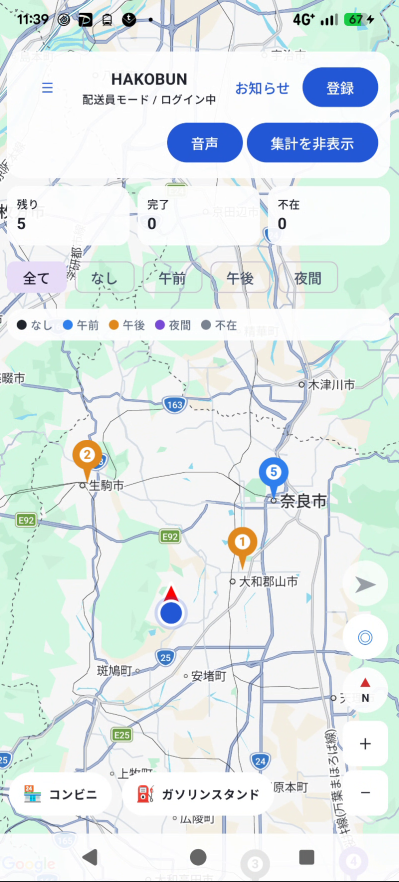
When you launch the app, the Home screen appears, centered on a map. At this point you are still a "Guest" — you can view the map, but you cannot yet register packages.
3Register an account
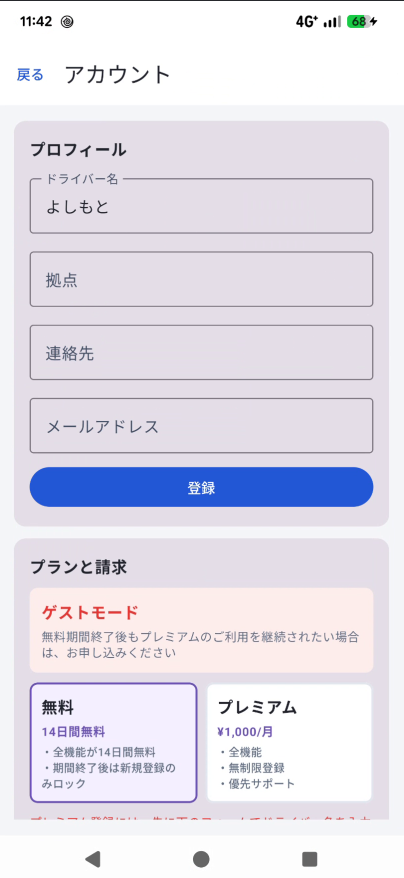
Open the menu (☰) on the Home screen and go to "Account." Enter the required details (driver name, base location, contact info, etc.) to register.
Once registration is complete, a 14-day free trial starts automatically, giving you access to all the same features as a Premium member (package registration, regular courses, map navigation, and more).
4About permissions
For the smoothest experience, we recommend allowing the following permissions. You can change these later from the Settings screen.
| Location | Used to show your current position and route guidance to the nearest delivery address. |
|---|---|
| Camera | Used to auto-fill addresses by photographing labels/slips (OCR). |
| Microphone / Speech recognition | Used for voice address input and voice-based delivery status updates. |
| Notifications | Used to receive announcements and app update information. |
| Calendar | Used to record each day's delivery results. |