 HAKOBUN
A simple delivery support app for drivers
Lighter, more
accurate deliveries.
Parcel registration, map display, navigation, and delivery status management — all in one smartphone app. HAKOBUN makes your daily delivery prep and record-keeping simple.
Try all Premium features free for 14 days after signing up. No charges will be made automatically during the free trial.
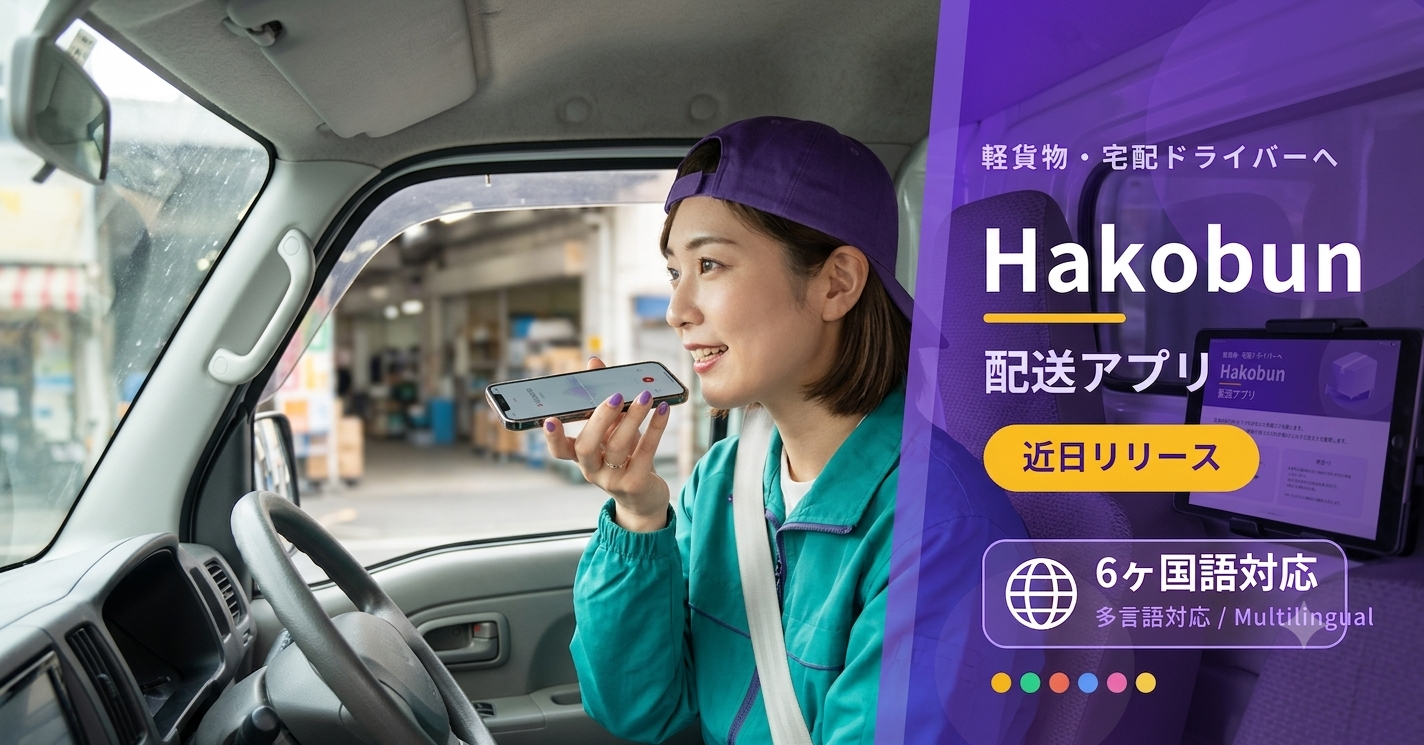
See your entire delivery workload in one screen
Register parcels faster
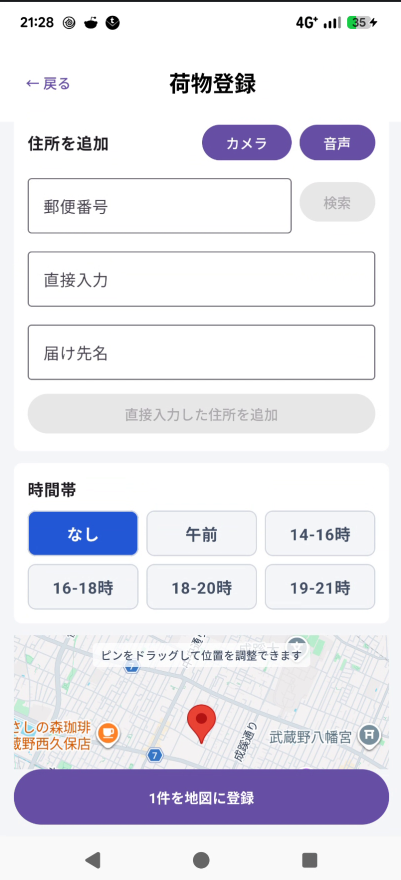
Add addresses by direct input, postal code search, camera OCR, or voice. Just snap your delivery slips in continuous capture mode to register up to 40 parcels at once and speed up your morning prep.
See your next stop on the map
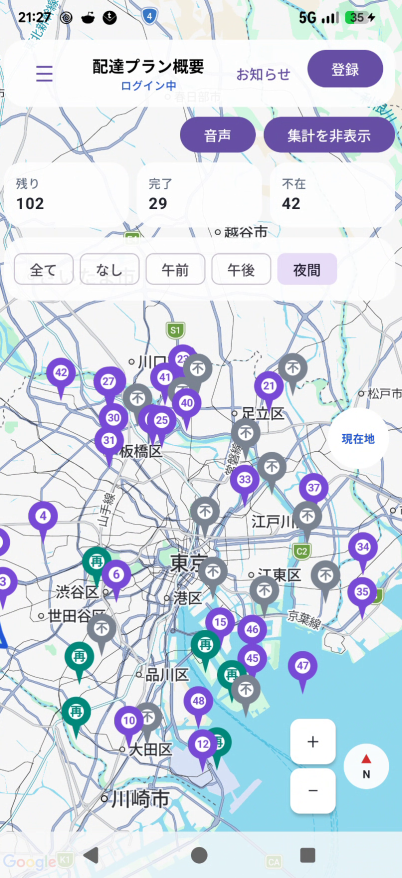
View delivery destinations on a map and filter by time slot or status. Start navigation to a selected destination instantly.
Track delivery status at a glance
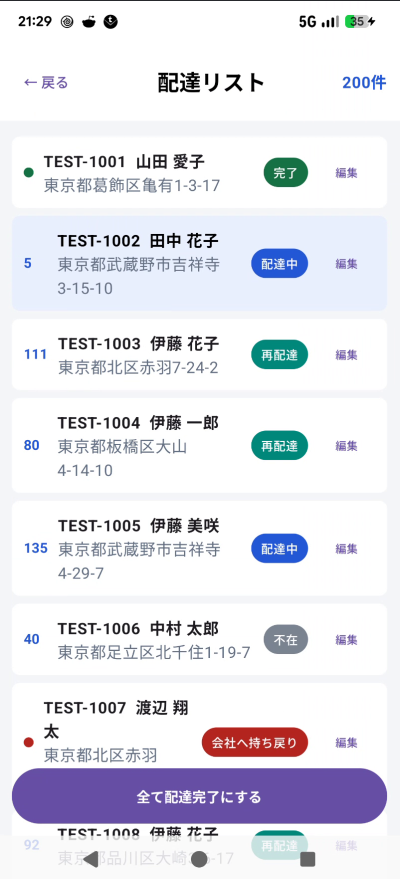
Remaining, completed, and absent deliveries are summarized clearly. Move between your delivery list and map to check your progress throughout the day.
Everything you need for daily deliveries
Easy parcel registration
Supports direct input, postal code, OCR, and voice — register up to 40 parcels at once, with protection against duplicate tracking numbers.
Continuous capture
Just keep snapping delivery slips to queue them up. Incomplete addresses (missing lot numbers or hyphens) and duplicate tracking numbers are flagged automatically, so you can fix them in a review list while viewing the slip photo.
Official address data checksNEW
One-character typos in town names are corrected automatically. Lot numbers missing from the map, such as in new developments, aren't flagged if they exist in the land registry. Conflicting map search results are flagged for review.
Multi-parcel stops, one pin
Parcels with the same address and recipient are grouped into a single map pin labeled with the parcel count. See all tracking numbers together and update their status in one tap.
Delivery mapNEW
Check destinations, your current location, and delivery status on the map. Switch between the standard map and satellite view. After sunset, the screens and map switch to dark colors automatically for night deliveries.
NavigationNEW
While following your location, the map turns so your heading is up, showing more of the road ahead like a car navigator. Tap “Preview route” to draw the shortest-distance route, which won't switch on its own while you drive. See time and distance per leg, and tap a road you want to take to reroute through it.
Time slot & status management
Organize your view by time window, remaining, completed, and absent status.
Recurring delivery courses
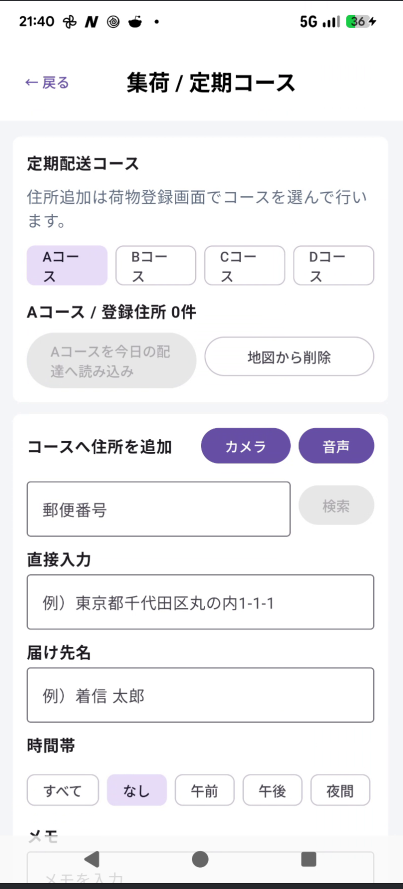
Save addresses to courses A through D and load them into today's deliveries.
Backup & sharing
Save parcels, recurring courses, learned delivery locations, and settings to a file. Restore everything after switching phones or reinstalling.
A map that learnsNEW
HAKOBUN remembers where you marked a parcel as delivered (GPS), and you can long-press a misplaced pin to drag it to the right spot. The learned location is reused the next time you register the same recipient, so your map gets more accurate the more you use it. Even in new developments missing from the map, HAKOBUN estimates the spot from learned locations nearby.
Nearby stops light up
When you come within 50 m of an undelivered stop, a glowing ring appears around its pin — so you don't drive past it.
Long-press to register a spot
Long-press the map to drop a pin and register a parcel right there. The address is filled in from the map, and the spot is remembered for next time.
Delivery notesNEW
Save notes per destination, such as “leave by the front door” or “beware of dog”. They are filled in automatically next time you register the same recipient. Use the 🎤 button to enter notes by voice.
Nearby parking & stores
Show nearby parking lots, convenience stores, and gas stations on the map with one tap, with names shown under each pin.
Learns where you parkNEW
HAKOBUN learns where you usually park for each destination, shows it as 🅿, and navigates there instead of the front door. It also remembers entrances (🚪) of large buildings and moves recipients who are often absent at that time of day later in your delivery order. Records stay on your device, and you can share 🅿 spots and entrances with your QR group.
Street View & address lookup
Tap a pin to see what the destination looks like. Long-press anywhere on the map to check the exact street address.
QR groups & chat
Create a group with fellow drivers via QR code. Share meeting-point pins and learned delivery locations, and send images or files in group chat.
Start your day's deliveries in 3 steps
Register destinations
Enter an address, take a photo, or use voice input to register it.
Check the order on the map
Choose your destinations while checking time windows and your current location.
Record the results
Mark deliveries as completed or absent, and wrap up the day's totals and earnings when you're done.
Take a look inside HAKOBUN
All names and addresses shown are test data.
Android / iOS availability
Available in 6 languages, for multinational delivery teams
Gig and independent contractor delivery fleets are increasingly multinational. HAKOBUN supports Japanese, English, Korean, Portuguese (Brazil), Vietnamese, and Chinese (Simplified), switching automatically to match your device's language setting.
Start free, upgrade to Premium when you need it
Free Trial
¥0 / 14 days
- 14 days from account registration
- Try all Premium features
- No automatic charges during the trial
- Some features are limited after the trial ends
Premium
¥1,000 / month (tax included, planned)
- Register unlimited parcels
- Access to all features
- Priority support
Pricing, trial length, and terms of use follow what is displayed on Google Play or the App Store, whichever applies. Please check the store listing before purchasing.
Frequently asked questions
HAKOBUN is for independent drivers and small delivery operations who want to organize their destinations and parcel status directly from a smartphone.
You can enter an address directly, search by postal code, scan it with the camera's OCR, or use voice input. Some features may be unavailable depending on your device and permission settings.
Location data is used only while the app is in use, for showing your current position on the map, navigating to destinations, and route guidance.
HAKOBUN supports 6 languages: Japanese, English, Korean, Portuguese (Brazil), Vietnamese, and Chinese (Simplified). The display language switches automatically to match your device's language setting.
Signing up for the 14-day free trial alone does not trigger any automatic charge. To continue with a paid plan, you need to subscribe yourself through the relevant app store. Please check the store's purchase screen for final terms.
Yes. The Android version is available on Google Play and the iOS version on the App Store.
Yes — parcels, recurring courses, learned delivery locations, and settings can be saved to a backup file, then shared and restored. We recommend backing up regularly in case your device is lost or you switch phones.
Make tomorrow's deliveries simpler.
For the latest updates, release status, and any questions about HAKOBUN, please get in touch.
Contact us about HAKOBUN